Mosaizer - Not just another mosaic creator

Best viewed in Firefox 1024x768px
  This website has been optimised for Firefox.
  MSIE 6/7 & Opera 9 may respond a bit different.

Mosaizer is more than just another photo mosaic creator !


munch madonna example

painting example

euro's example

button example

button example

button example


What is Mosaizer?

Mosaizer is a photo mosaic creator with and extensive set of exclusive tools to create great photo-art painting effects.

What can you do with Mosaizer?

You can create photo art. Mosaizer is an extensive set of bitmap editing tools such as patterns, colored patches, masks and filters and it basically use a large number of pictures to work with. And yes, you can of course make photo mosaic
  From a distance: the full picture and at close-up individual the sub-pictures can been distinguished
pictures.

Who use Mosaizer?

Anyone can use Mosaizer. Although it's a professional tool, creativity is not an exclusive domain for professionals.

Is Mosaizer unique in it's kind?

Not entirely. Many photo mosaic creation and bitmap editing software is available, but Mosaizer adds some unique features you can hardly achieve with existing bitmap editors.

Why is Mosaizer freeware?

Mosaizer is freeware because we believe that creativity is free.

Characteristics of Mosaizer 6

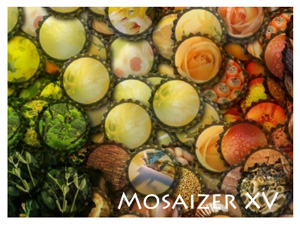
A photo mosaic is a picture which is built from hundreds or thousands of smaller pictures. Each of these smaller pictures has a certain color impression, and when looking from a distance the original source picture is recognised. If looking from close-up, the individual pictures can be seen. With Mosaizer you can make such photo mosaic pictures. But Mosaizer can do much more that just that. The key features are:

Some examples with Mosaizer

Examples of the key features are shown on the right. From top to bottom: the use of the 'mosaizer' tool with the madonna of Edvard Munch
  The original and mosaized pictures were merged
; using an alpha mask for a photo-mosaic
  Smooth transitions between sub-cells with masks
to create transparency on the edges of each sub-picture; photo-realistic euro's
  Only masks are used - and bit filtering
with use of an alpha mask and a source-mask; and the use of a 32-bit alpha mask
  No real photo-mosaic, but 3D-'art' with 32-bit masks
in combination with a shadow effect.

Other features of Mosaizer 6

  • picture Library creation and management (add, merge)
  • Mask Manager to fully control the use of all the masks, overlays
      This overlay creates a partially transparent watermark effect
    , 32-bit masks and patterns
  • preview functionality to quickly test and evaluate the effect of the chosen settings
  • library match
      From left to right the chosen library matches better with the source color palette
    function to quickly assess the color matching capabilities of a certain set of pictures
  • a choice of 3 color match algorithms to better tune the choice of color matching with the color palette of the chosen picture library. When a mosaized picture is reconstructed back with the same size settings as its pieces, the match is now 100% accurate.
  • the speed of photo mosaic creation: a 6000 picture (16MB size) photo mosaic will take about 10 seconds on the recommended configuration.
  • almost unlimited size of the mosaic: max 4.6 GB bitmap size with a limit of 4 million sub-pictures. That would equal a poster of approximately 200 m2 of 72 dpi. We have an example of a bitmap of 420 MB in size on the Gallery page.
  • Ini Manager to conveniently manage the settings of the program

What's new with Mosaizer 6?

With Mosaizer 6 a new level of photo mosaic creation versatility has been achieved. A major addition in Mosaizer 6 is the application of a Genuine Paintbrush
  The paintbrush behaves like a realtime pencil and eraser
tool. This paintbrush literally paints with pictures. The result of any photo-mosaic picture can be repainted (or painted from scratch) by using the mouse or any other pointer device.
All effects (masks, filters, random settings, etc.) are applied in the paintbrush feature. Even more, any desired change in effect can be applied in the same drawing. The painting takes place real-time (depends on the speed of the CPU) and wrongly drawn lines can easily be erased and redrawn later.

Textaizer 2: the other application from APP Helmond

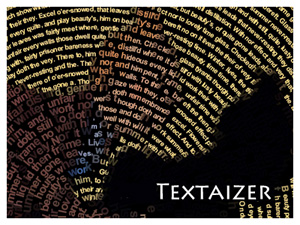
APP Helmond has developed another application, called Textaizer. This application creates pictures from text, a method that is usually referred to as 'Text Mosaics'
  From a distance Shakira is recognised, but at close-up the text can be read
. Textaizer can also create text from pictures. This is widely known as 'ASCII Art'
  ASCII art is widely used as an e-mail stationary
.
On the web there are many programs that can make ASCII art, Textaizer however combines both text mosaic creation and ASCII art. Textaizer also offer a unique possibility to make video clips from text mosaic frames, directly taken from video footage.

The key features of Textaizer 2 are:
  • create text from bitmaps
  • create bitmaps from text
  • free drawing ASCII art with eraser functionality
  • create video with ASCII art from video clips
  • tuning filters to assure a best possible starting picture

Every picture tells a story

Both Mosaizer 6 an Textaizer 2 use this expression very literally. With Mosaizer a picture consists of 1000's of smaller pictures. If these pictures follow a theme, a story can be told (or discovered).
With textaizer the picture is built from text. When large fonts are used and sufficient distance between each line is taken, the reader can easily discover the story in the picture.


Mosaizer and Textaizer are trademarks of APP Helmond, The Netherlands